01
Import
Add or open your Lightroom Classic catalog. Shuttergrove watches for new photos.
 Shuttergrove
Download
Shuttergrove
Download
A local companion for Lightroom Classic
Shuttergrove brings structure to your catalog with on-device AI. Find photo types and visible content without sending your images anywhere.
01 — Catalog intelligence
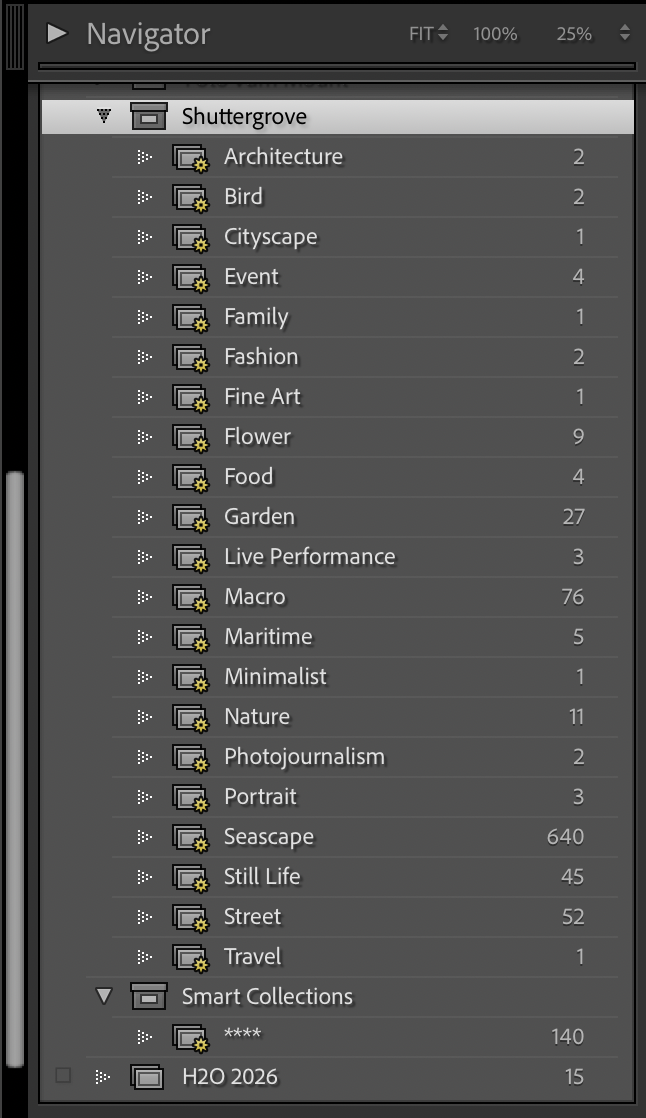
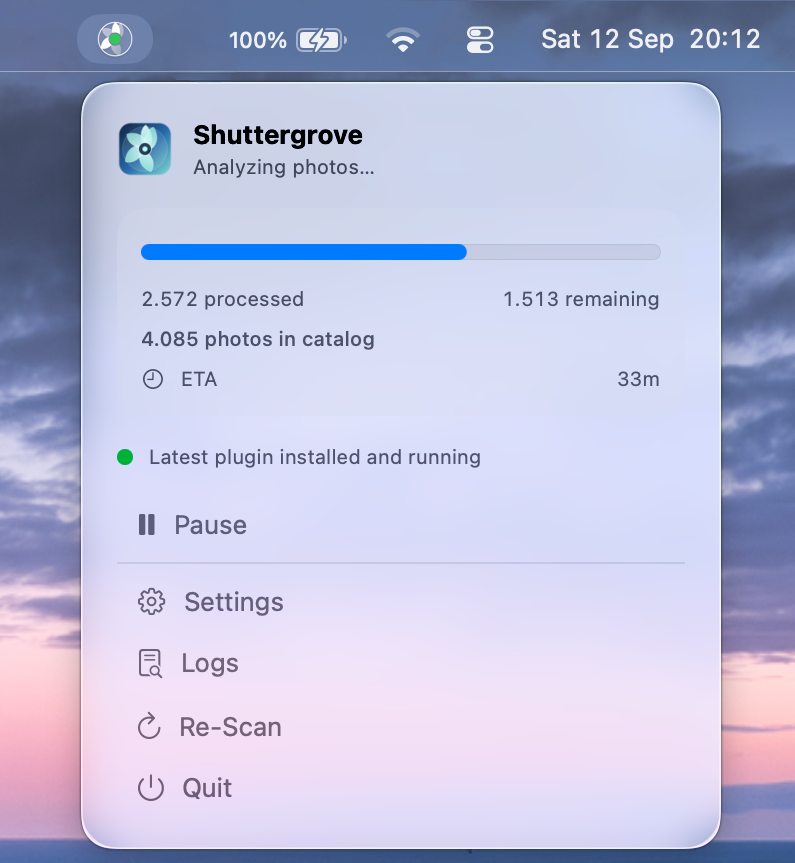
Shuttergrove watches for new imports, classifies your Lightroom Classic catalog, and writes only the accepted results back as generated keywords.
View catalog organization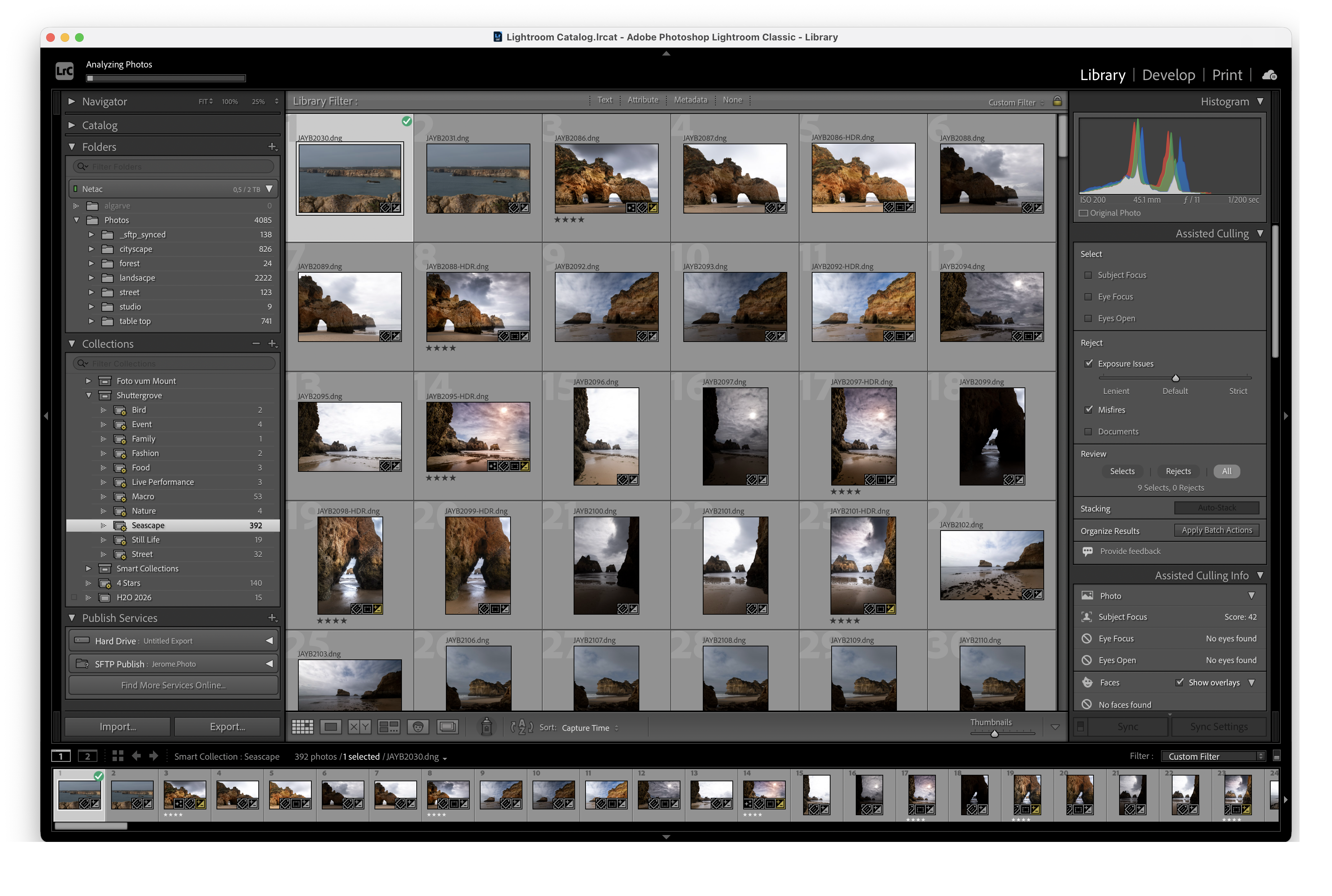
02 — A simple bridge
Add or open your Lightroom Classic catalog. Shuttergrove watches for new photos.
The bundled models classify photo types and optional visible content on-device.
Browse type collections and filter by content keywords inside Lightroom.
03 — Private by design
Your photos and paths stay under your control. Shuttergrove uses bundled local models and a lightweight file bridge between the app and plugin.
04 — Find what matters
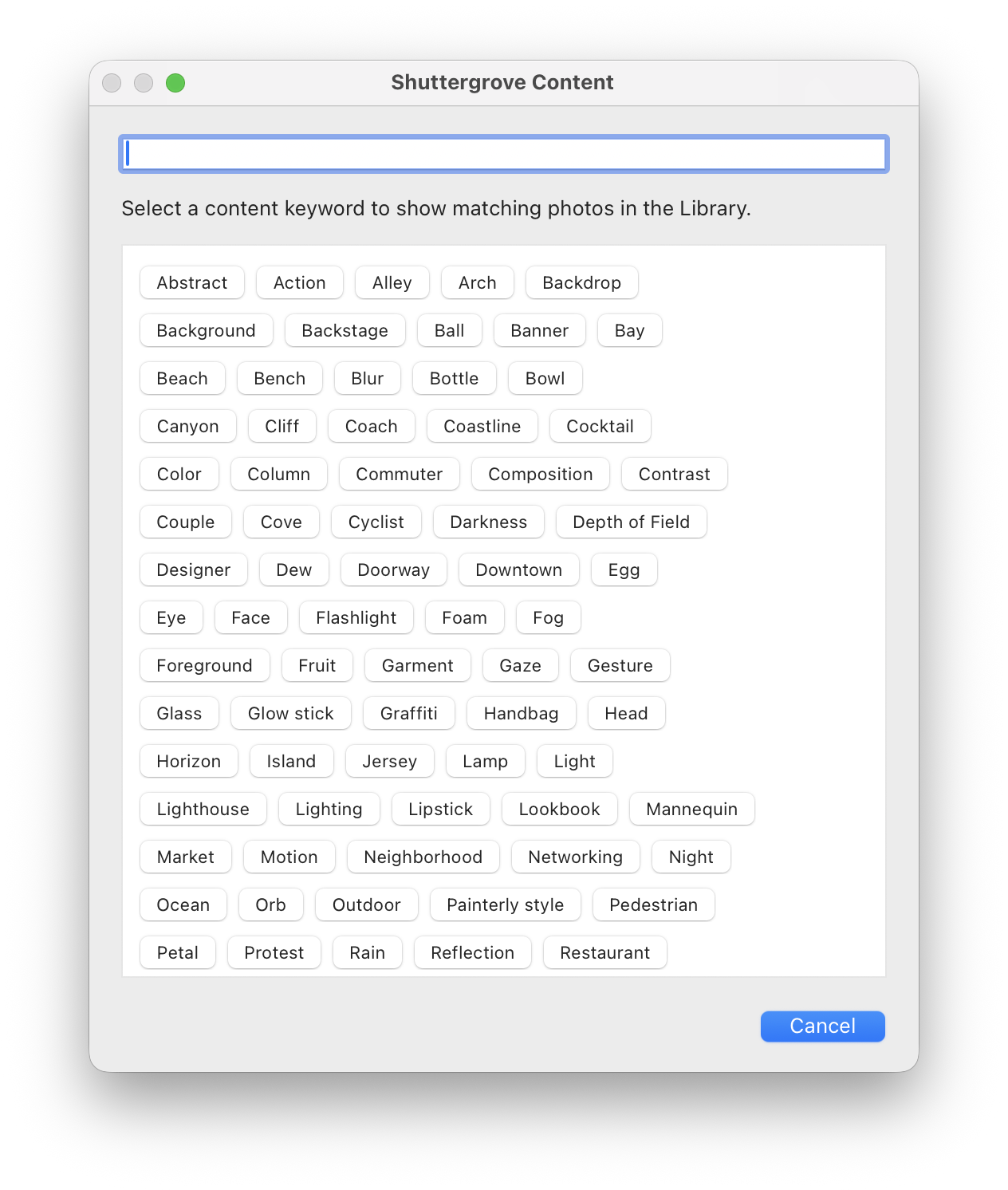
Open Shuttergrove Content with a global shortcut. Choose an exact keyword and jump straight to matching photos in Lightroom's Library Filter Bar.